CPA Networks
 Ad Networks
 Affiliate Programs
 Offer base



Managing multiple accounts on social networks and advertising platforms has always been a headache.
In the article, AffRoom will review one of the best solutions to the problem on the market—the AdsPower browser review.
It allows you to safely manage multiple accounts from a single device. It saves a lot of time, nerves, and, most importantly, money.
Read till the end — AdsPower offers a special promo code for AffRoom readers to save even more money!
AffRoom is a catalogue of affiliate marketing companies and a unique networking platform for both companies and affiliates. Here you can find and connect with iGaming leaders, solo affiliates, advertising, affiliate and CPA networks in one place. It’s also a free offer base, as well as a transparent listing with blunt, honest reviews.

What is AdsPower?

AdsPower is an antidetect browser that helps marketers, media buyers, and e-commerce specialists safely manage multiple accounts at the same time.
Each profile receives a unique “browser fingerprint,” so platforms see every account as a separate device. This allows you to work with social networks, advertising platforms, and other sites without the risk of bans or tracking.
AdsPower was founded in 2019 and now serves over 9 million users in 235 countries, constantly improving features and security.

When to Use AdsPower: Real Scenarios
Wondering why you actually need AdsPower? Read about real-life scenarios:
Affiliate Marketing
If you promote multiple offers or work with different affiliate programs at once, AdsPower allows you to manage many accounts without the risk of them being linked and blocked. You can create a separate profile for each offer — everything stays organized and under control.
Digital Agencies and Media Buying
For agencies, managing numerous client accounts, testing setups, and protecting them from blocks is crucial. AdsPower enables centralized control of all profiles, sharing access with your team, and tracking member actions through activity logs.
Safe Web Scraping
Collecting data without getting banned? Easy. AdsPower makes you appear like a regular user: different devices, different IPs, no anti-bot triggers or constant captchas. Everything stays clean and secure.
E-commerce
If you run multiple stores on Amazon, Etsy, Shopify, or other platforms, AdsPower prevents account linking. Each profile functions like a separate computer, allowing you to manage all stores simultaneously.
Traffic Arbitrage
When managing dozens of ad accounts and traffic sources, any suspicious activity can lead to bans. AdsPower lets you test and run campaigns without attracting extra attention from platforms—everything looks completely natural.
Cryptocurrency
For traders and arbitrage specialists, this is a real advantage. You can work with multiple exchanges through several accounts without exposing your IP or device. Platforms won’t link profiles, and you can execute trades safely.
AdsPower review 2026: key features
Now that you know the main info on the anti-detect browser AdsPower, let’s see the AdsPower pros and cons.
1. Unique Browser Fingerprints
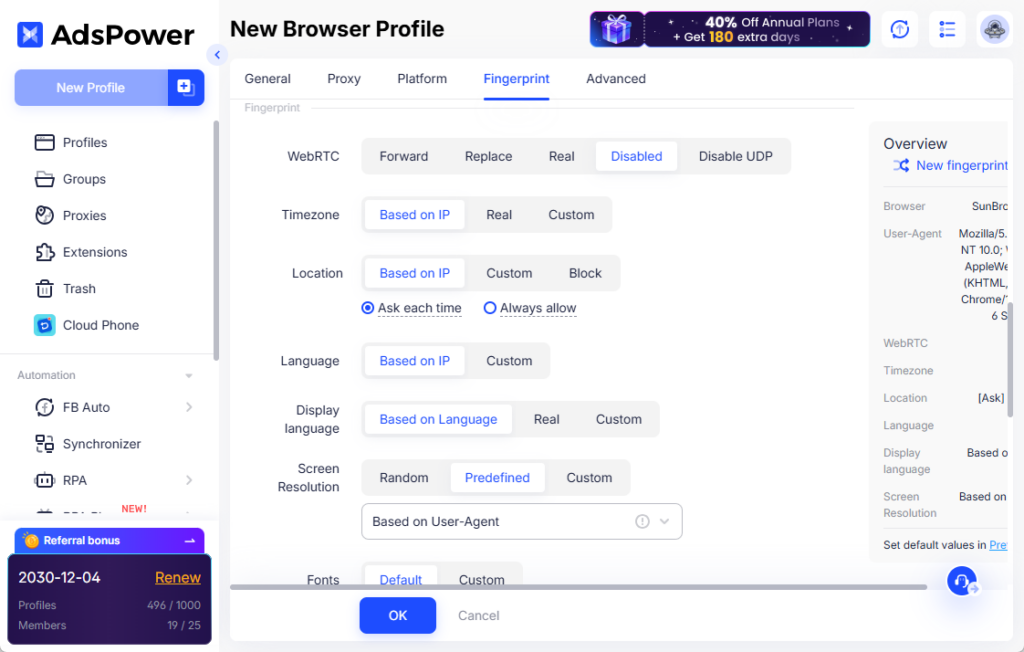
In AdsPower, you can customise browser fingerprints and make them unique based on more than 20 parameters. This ensures that platforms see each account as a separate device, allowing you to manage multiple accounts simultaneously without fear of being blocked.
2. Proxy per Profile
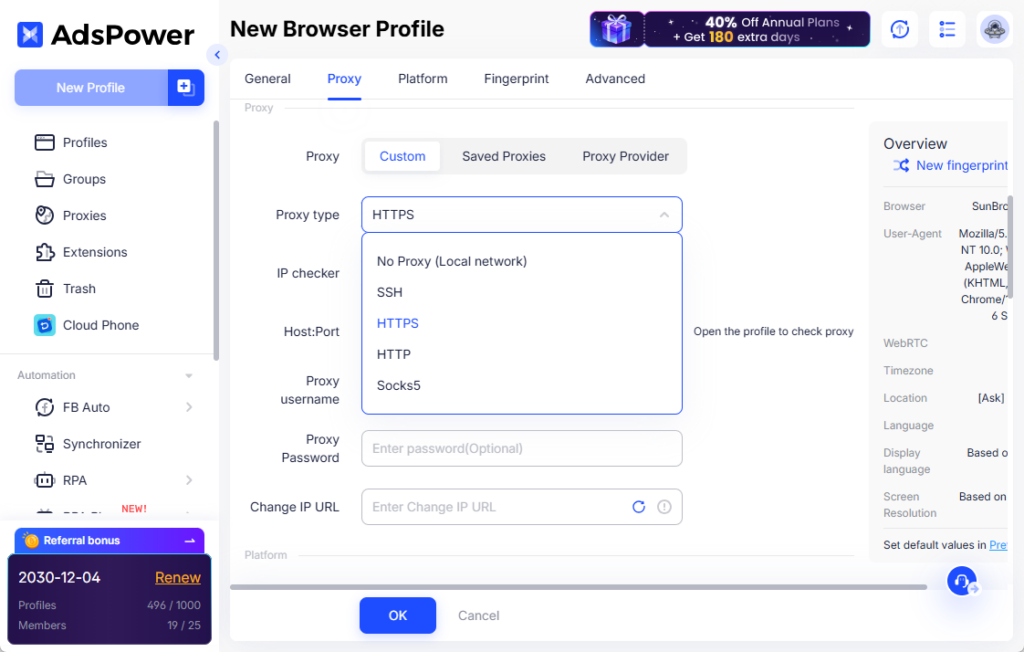
AdsPower allows you to assign different proxies for each account. The browser supports all popular protocols — HTTP, HTTPS, SOCKS5, and SSH. This lets you access sites from different countries, simulate various networks, and bypass regional restrictions, making it appear as if each account is operating from a separate device.
3. Multiple Accounts Without Confusion
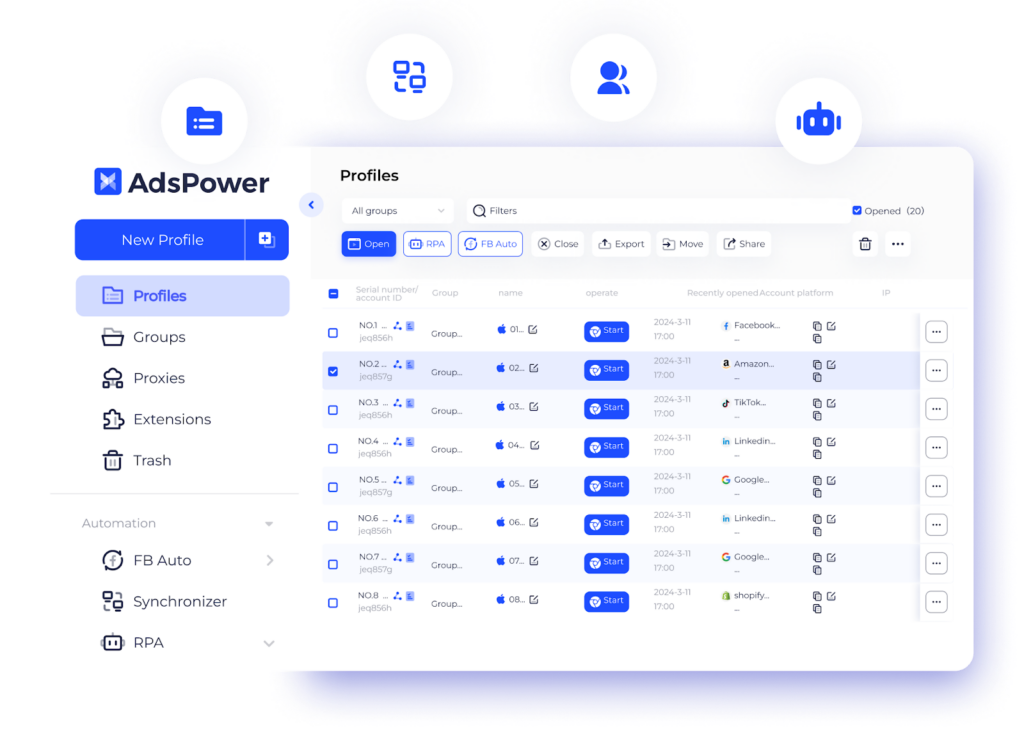
Each profile in AdsPower is created in a separate environment — both browser and network — thanks to unique browser fingerprints and assigned proxies. This allows you to manage dozens of accounts simultaneously without conflicts or data mix-ups. Each profile operates independently, keeping everything under control. So, it can easily be called multi-account browser AdsPower.
4. Task Automation via RPA
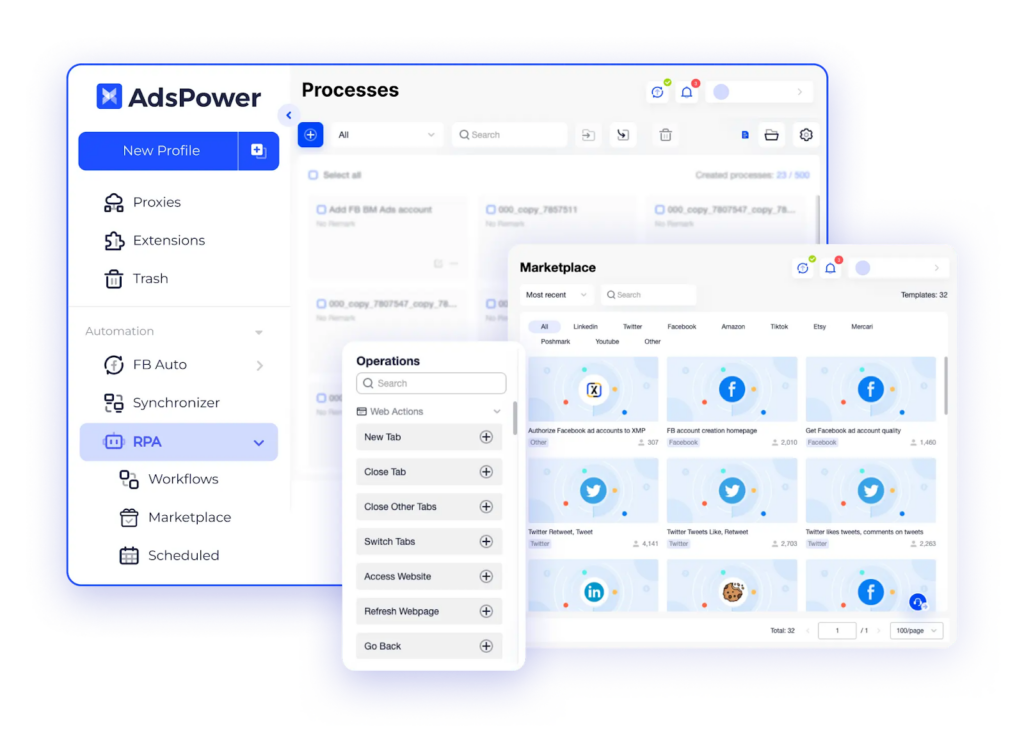
RPA automates routine actions such as opening tabs, visiting sites, entering data, and more. It works without programming, saving significant time. Additionally, the RPA store offers 46 ready-made templates for most popular platforms, so you can start automating tasks immediately.
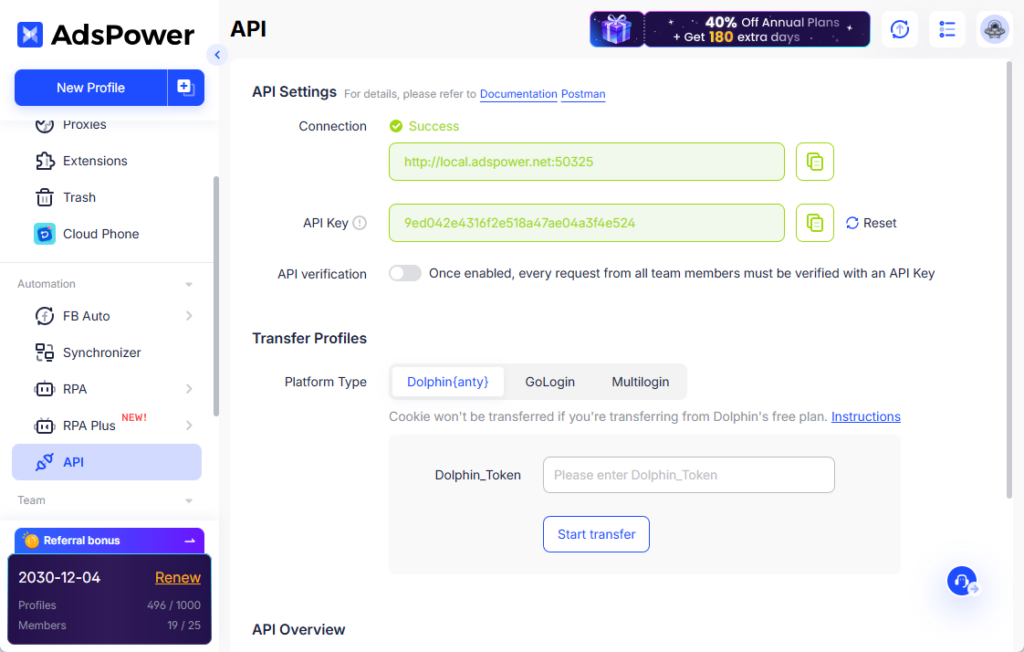
5. API Integration
If you have your own tools or need specific workflows, AdsPower allows integration via API. This is especially convenient for agencies and teams where synchronizing processes is important.
6. Mass Window Management Synchronizer
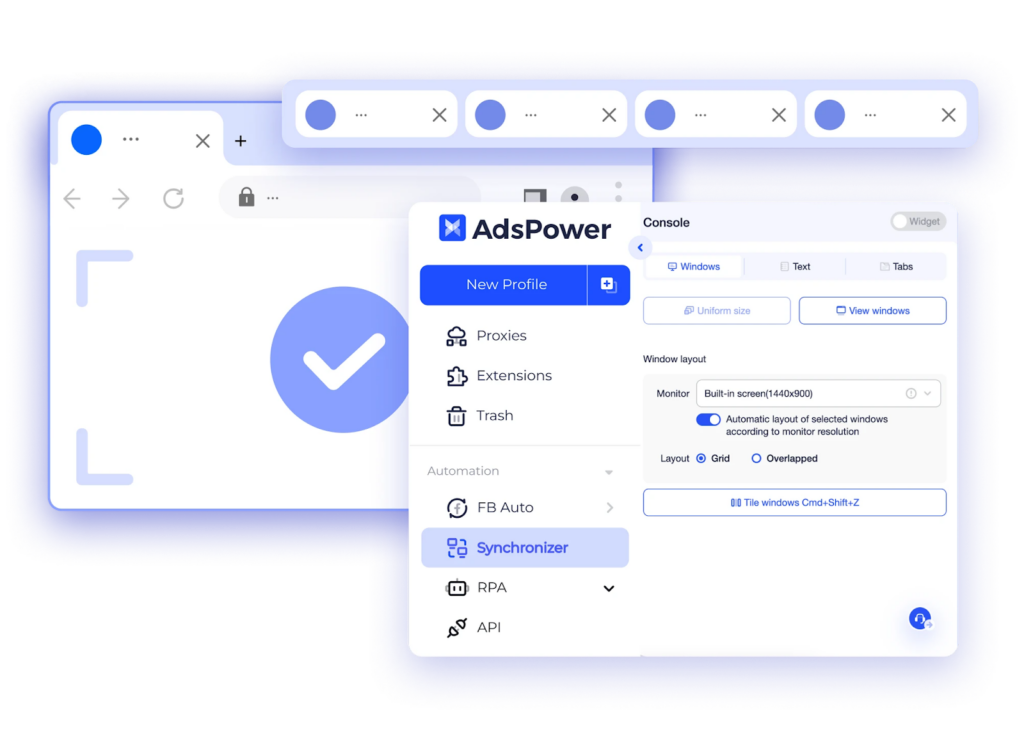
You can manage multiple profiles simultaneously: open identical tabs, enter text, click buttons, and perform other actions — all at the same time, as if manually handling each account. This feature is particularly useful for quickly completing repetitive tasks across dozens of accounts, saving time and reducing errors.
7. Security and Privacy
Security is a top priority in AdsPower. All data — from account information to browser history and other sensitive information — is encrypted according to corporate standards and is never synchronized without your explicit permission.
Additional security features include:
- Two-factor authentication (2FA) for AdsPower account login
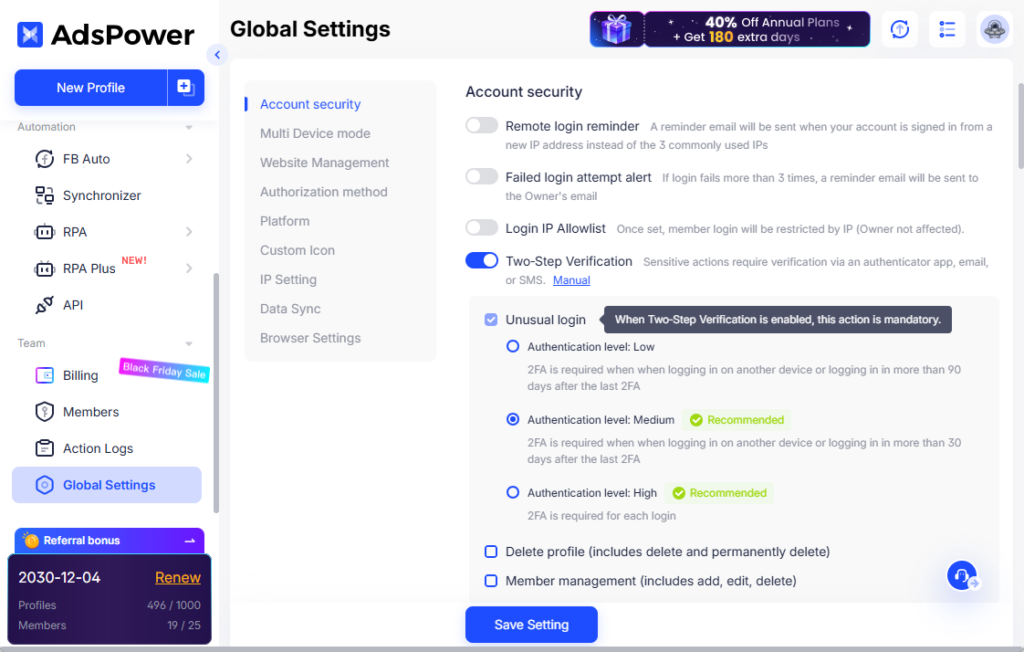
- Email notifications for failed login attempts or suspicious activity
- Detection and prevention of unauthorized access
- Activity logs tracking the actions of all team members
- Flexible access controls to precisely manage which profiles and features each team member can access
8. Team Collaboration
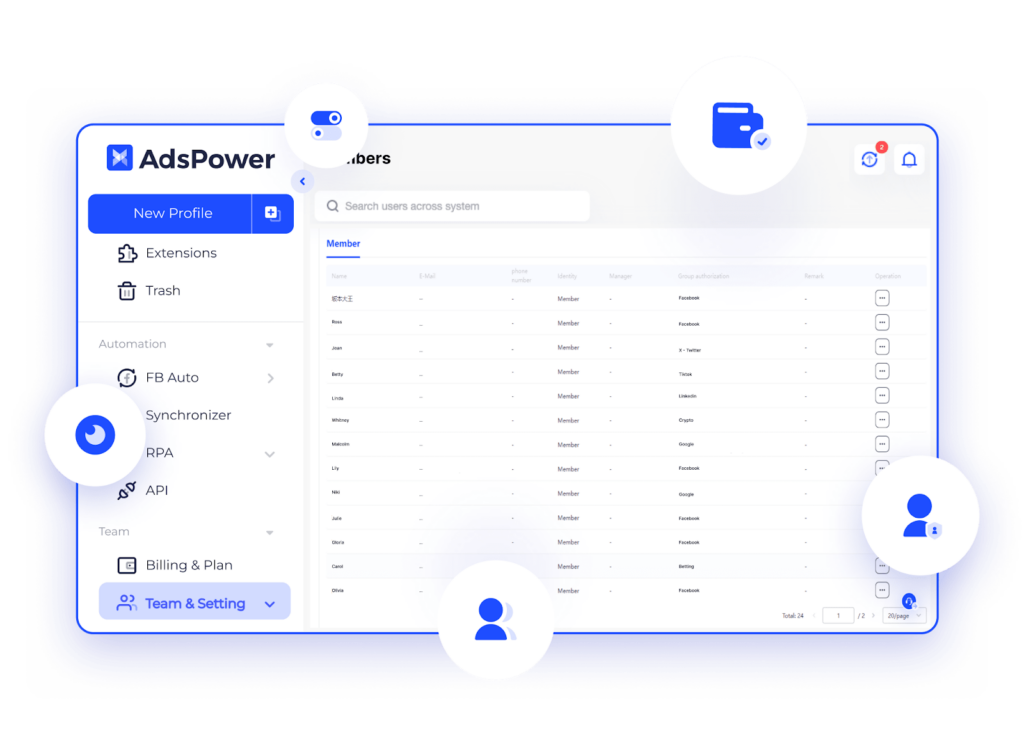
AdsPower makes team collaboration easy. You can add members, grant them access to necessary profiles, and track all their actions through activity logs. This helps keep processes under control, avoid errors, and work efficiently as a team.
How to Quickly Start Working with AdsPower: 8 Steps
Step 1. Download and Login
First, download the AdsPower application from the official website and log in to your account. It’s simple, fast, and straightforward.
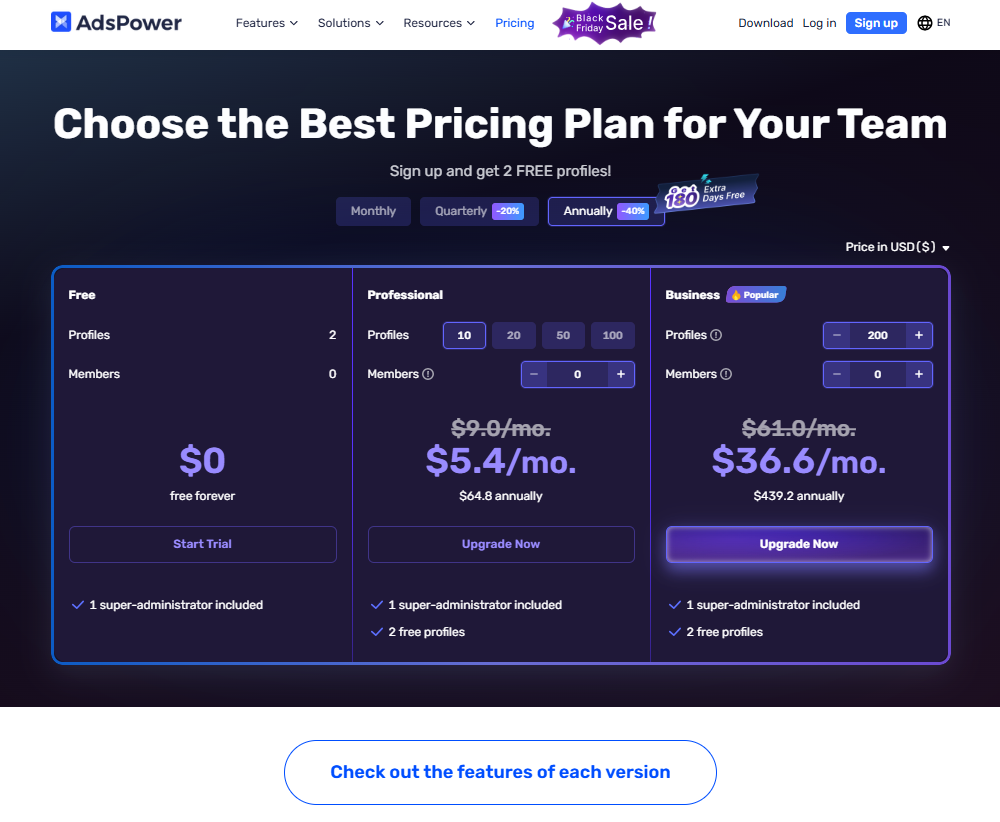
Step 2. Choose a Subscription
AdsPower offers flexible options:
- Free plan — provides 2 profiles for life to try out the platform’s features.
- Paid plans — designed for more profiles and team members.
- Promotions and trial period — 40% discount on annual subscriptions and a 3-day free trial for advanced features.
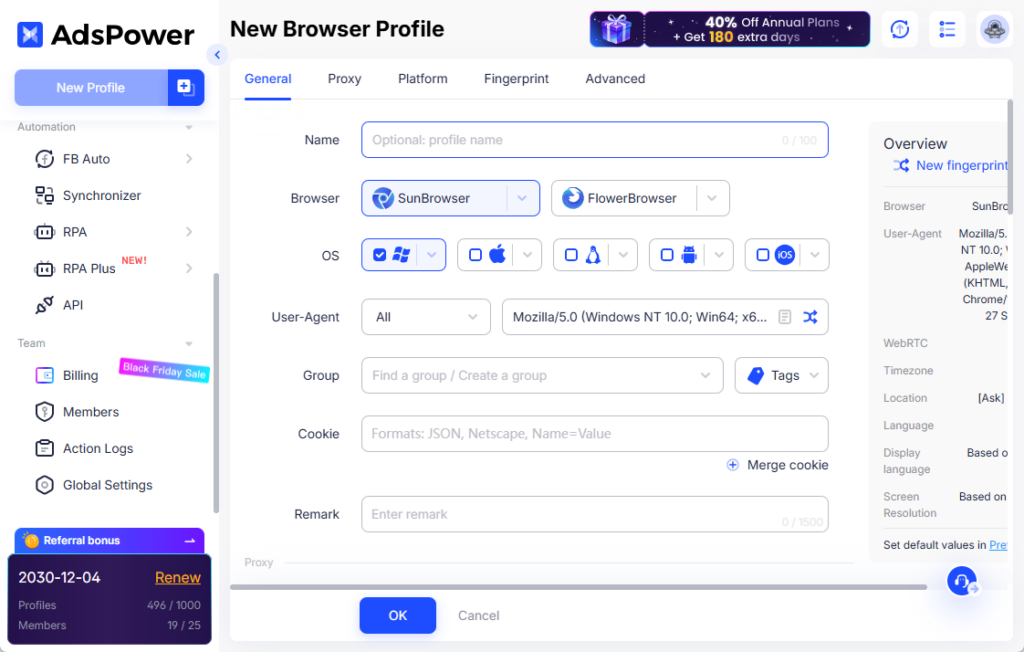
Step 3. Create a New Profile
- Click “New Profile” in the top left corner.
- Choose a browser:
- SunBrowser (based on Chromium)
- FlowerBrowser (based on Firefox)
- Select the operating system and core version. It’s recommended to use your device OS for proper fingerprinting.
- Add a proxy for the profile. Websites will see this IP each time the profile is launched.
- Optionally, add platform accounts and configure advanced fingerprints.
Tips: You can use one of two additional creation modes:
- Mass import — creates multiple profiles at once, convenient for managing dozens of accounts.
- Quick creation — creates a group of profiles fast, without prefilled data.
After setup, you can edit profile information and save a template in Preferences to automatically fill data when creating new profiles.
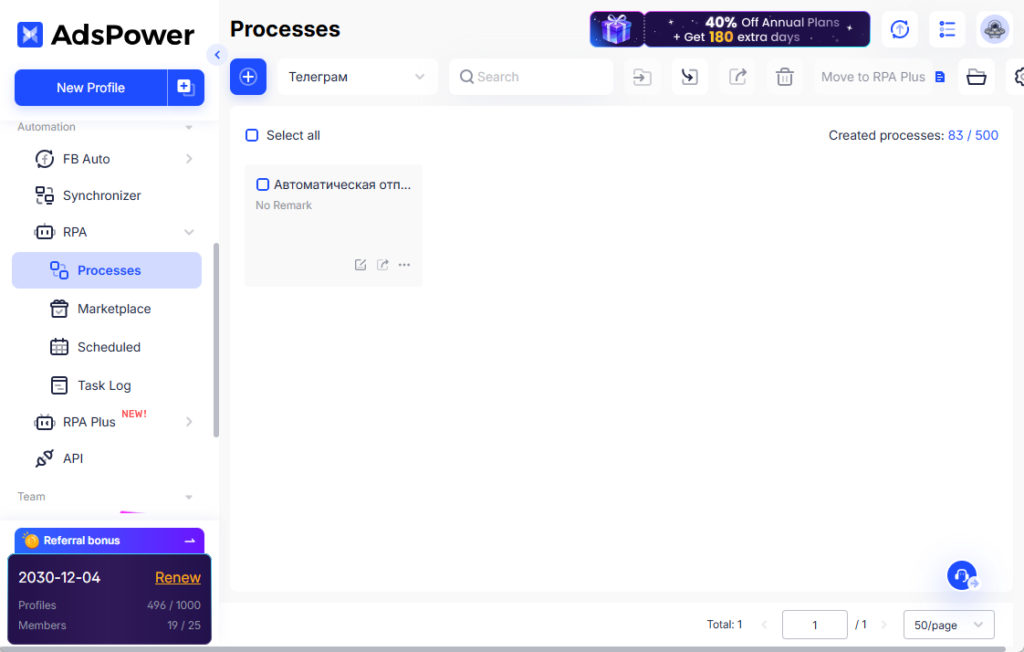
Step 4. Warm up Profiles with Automation
After creating a profile, click “Open” to prepare it:
- Use RPA or API to automate routine actions: open tabs, visit sites, enter data, etc.
- The RPA Store has 46 ready-made templates for popular platforms. Choose one and run tasks immediately.
- All processes can be tracked in the Task Log, and you can create and manage them in the Processes section.
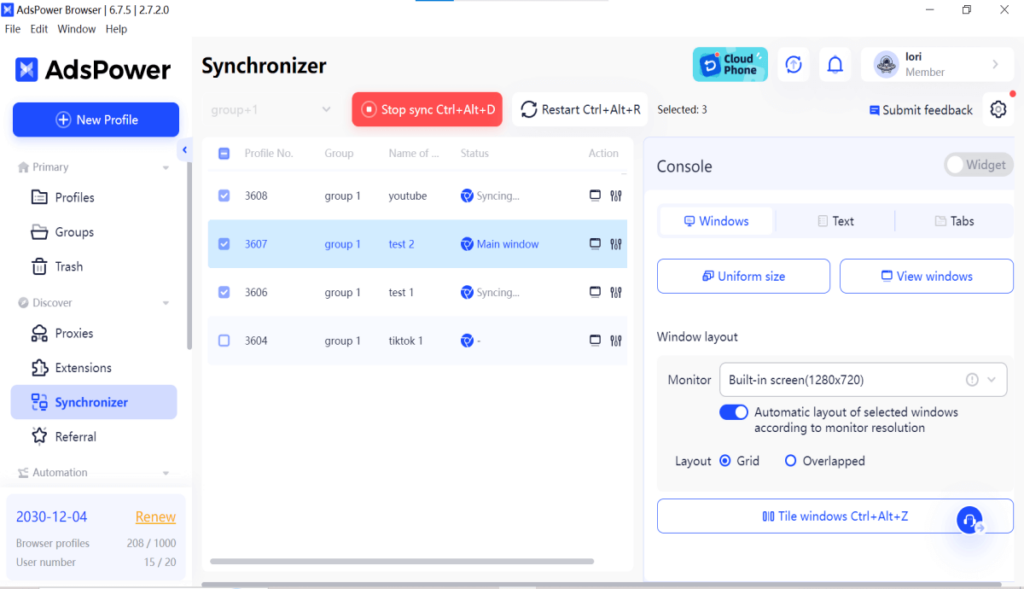
Step 5. Action Synchronizer
- Allows simultaneous work with multiple profiles.
- You can open identical tabs, enter text, click buttons, and perform actions synchronously.
- Adjust delays for clicks and typing to appear natural.
- Enter the same text for all windows or different texts for each profile.
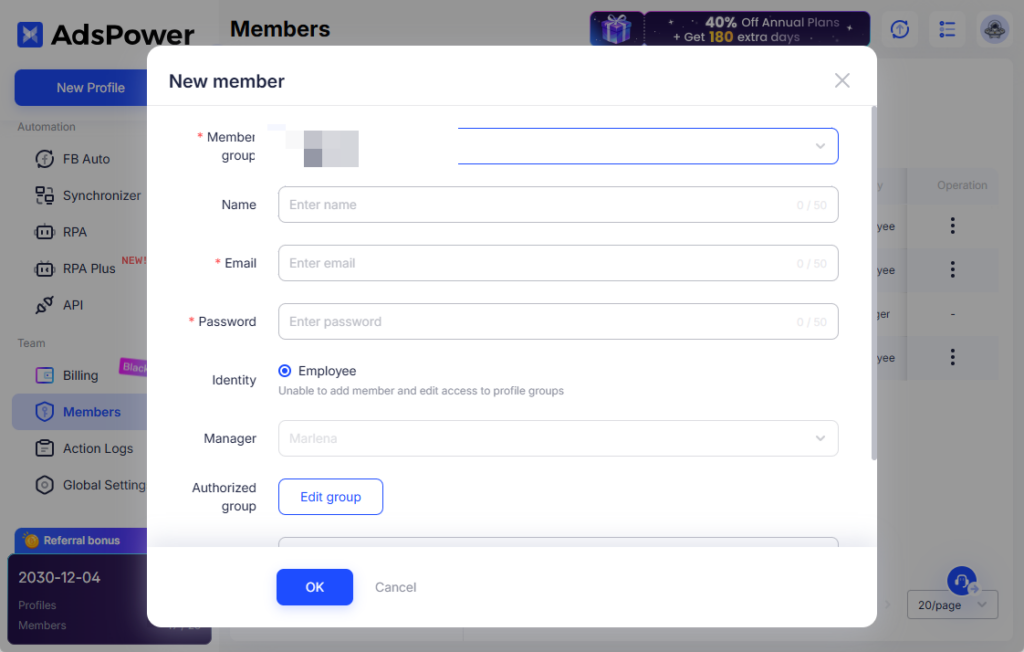
Step 6. Team Collaboration
- Create a group and assign access rights.
- Add members and give access to the necessary profiles.
- Track their actions via the Action Logs.
Step 7. Share Profiles Outside the Team
If you need to share an account with another user without changing fingerprints:
- Select the profile and click “Share.”
- Configure what information you want to share. Simple and safe.

Step 8. Manage Extensions
- Use the Extensions Manager to add, remove, or disable extensions for all profiles at once.
- Upload extensions from a zip file or directly from the Chrome Web Store.
- Classify, pin, update, or exclude extensions as needed.

AdsPower: Manage Accounts Like a Pro and Forget About Blocks
AdsPower is not just a tool, but a real assistant for those who work with multiple accounts and want to do it safely, quickly, and stress-free. It saves you a lot of time, reduces the risk of blocks, and keeps everything fully under control.
Want to confidently stay ahead of your competitors? Now is the perfect time to start.
The biggest sale of the year has arrived — Black Friday at AdsPower!
Annual plan for 360 days: 40% discount + 180 days free.
Pay for one year — use it for one and a half!