Victoria is an author creating fact-driven content for affiliates and iGaming enthusiasts for over 4 years.
Table of contents:
The LinkedIn Ads Library doesn’t get the attention Meta’s library does. It’s still worth knowing. Here’s how it works in 2026, what the EU disclosure layer adds, where the data ends, and how affiliate teams put it to use.
Quick note on AffRoom, since this guide lives here. It’s a catalogue of affiliate marketing companies and a networking layer for both sides of the table. You can browse listings of CPA networks, ad networks, affiliate programs and offers in one place, read blunt, honest reviews from other affiliates, and message any registered company directly. Free entry for individuals.
The LinkedIn Ad Library is a free, public database of sponsored campaigns on LinkedIn — both ads running right now and ads that have run recently. No login required. LinkedIn launched it in 2023 to meet EU Digital Services Act (DSA) rules around ad transparency, though access is global. The library covers ads served from June 1, 2023 onward, and each ad stays visible for one year after its last impression — so paused and finished campaigns remain searchable, but the back-catalogue is shallow and recent. Compared with Meta’s library, LinkedIn’s version is thinner on commercial data, but it’s the only ad archive built around B2B advertising.
Leave the email
and get our exclusive research and guides
We will send them no more than twice a month
How to access the LinkedIn Ad Library
You can reach the LinkedIn Ad Library two ways.
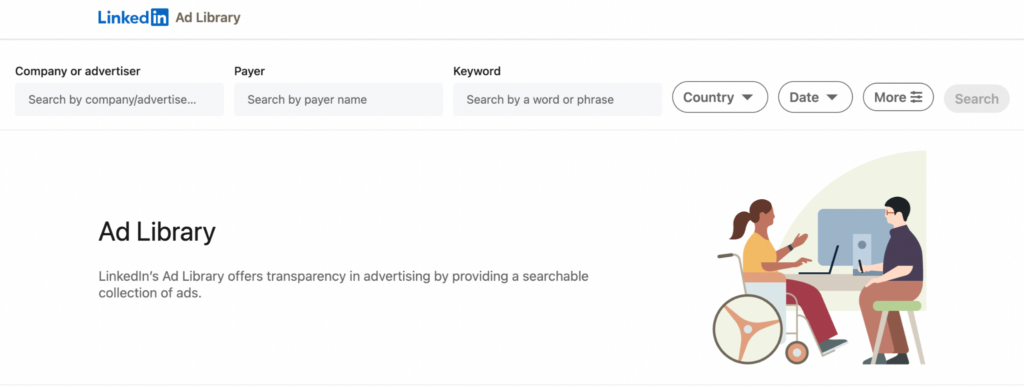
First, go straight to linkedin.com/ad-library, the central search interface.
Second, open any company page on LinkedIn and click the “Ads” tab to see only that advertiser’s active LinkedIn ads.
The second route is faster for quick spot-checks on one company; the central URL wins when you want keyword searches or side-by-side comparisons across several brands. Neither requires a LinkedIn account. One timing note. Ads usually appear in the library 24 to 48 hours after their first impression, and the same window applies when a campaign is paused or updated.
The LinkedIn Ad Library gives you four base search filters worldwide, plus two extras that unlock only for ads targeted to users in the European Union. Here is what each one does.
Filter
Scope
What it’s good for
Company / advertiser name
Global
Pulling every ad from one brand
Keyword
Global
Surfacing ads by product, offer, or pain-point language
Country
Global
Geo and localization checks
Date range
Global
Tracking launches, pauses, and relaunches
Impression range
EU only
Rough budget signal via bracketed impressions
Ad targeting parameters
EU only
Job function, seniority, industry, geography
One detail is more useful than it looks: the keyword filter is broader than expected. It searches inside ad copy, not just brand names. Type “free trial” or “cybersecurity audit” and you pull a cross-section of campaigns from competitors you didn’t have on your radar. And while you can’t search by it directly, every ad card shows the payer name — handy when a brand bills under an agency or holding entity, which happens often with bigger LinkedIn accounts.
What information is available, and what’s missing
Globally, the LinkedIn Ad Library shows you the ad creative, headline, body copy, advertiser identity, payer name, country, and run dates. For EU-targeted ads only, you also see an impression range bracket (1K to 5K, 5K to 10K, and so on), the same targeting parameters you can filter by, plus the advertiser’s legal entity name when it differs from the brand page.
And here is the trade-off. The library has no click-through rate, no spend, no conversions, no engagement metrics, and no public API. The one-year retention window is also a hard ceiling: once an ad’s last impression is more than 12 months old, it’s gone for good. Meta’s library, by comparison, offers a free public API and keeps political ads for seven years — though it returns results in small paginated batches rather than in bulk. LinkedIn ad transparency is real, but narrow.
How affiliate teams and networks use the LinkedIn Ad Library
For affiliate teams, the library cuts two ways. You can research the B2B advertisers worth onboarding, or watch how rival networks recruit affiliates.
Network recruitment intel. CPA networks, ad networks, and SaaS tools all run LinkedIn paid ads to reach affiliates, media buyers, and advertisers. Search competitors by name and you see exactly how they pitch, including their hooks, value props, and the landing pages they push traffic to.
B2B vertical research. For non-restricted verticals like SaaS, fintech, education, recruiting, and professional services, the library is a cheap source of creative ideas. Pull active landing page URLs and study which hooks competitors keep running for months.
Partner vetting. Before signing a deal with a new advertiser, check whether they actually spend on LinkedIn ads, how long their campaigns have been live, and whether their messaging stays consistent. Long ad runs hint at stable budgets and tested funnels.
The iGaming blind spot. Worth being upfront here. Gambling, Betting, and Sweepstakes verticals are restricted on LinkedIn, so the library is essentially blank for them. For those, you’ll need vertical-specific intel.
That’s where AffRoom’s CPA networks and ad networks listings help, with reputation checks, honest reviews, and direct messaging, without needing any ad-spend signal.
FAQ
What is LinkedIn ads library?
A free, public archive of sponsored campaigns on LinkedIn — both currently running ads and ones that ran in the past year. The platform launched it in 2023 under EU transparency rules, but anyone, anywhere, can use it.
How do you search ads in LinkedIn ads library?
Go to linkedin.com/ad-library and filter by advertiser name, keyword, country, or date range. For ads targeted at EU users, the More menu adds an impression range and ad targeting parameters.
Is LinkedIn ads library free to use?
Yes, fully free with no LinkedIn account required. Anyone can search and view active ads directly from a browser, on desktop or mobile.
Can you see competitor ads on LinkedIn?
Yes. Search the competitor’s name and you’ll see their live campaigns in seconds. For a broader view across the affiliate space, including networks, offers, and ratings, AffRoom’s affiliate programs listing is a useful complement.
What information is available in LinkedIn ads library?
Creative, headline, copy, advertiser identity, payer name, country, and run dates worldwide. For ads targeted at EU users, you also see impression ranges and targeting parameters such as job function and industry
Final word
The LinkedIn Ad Library is a starting point, not the whole job. Creatives and competitor mapping, yes. Performance data, vertical coverage outside B2B, and reputation checks, no. For those gaps, AffRoom fills in from a different angle, with free registration for individuals, transparent listings, honest reviews, and direct messaging with the companies you’re vetting.
Victoria Hubkina is an experienced author, possessing over 4 years of affiliate marketing and iGaming writing expertise. From GEO-oriented analysis of the gambling niche to the latest affiliate marketing news and events, she knows how to give maximum value to a reader. Victoria’s materials are rich in data and facts, making them both insightful and practical for industry professionals.
Table of contents:
Leave the email
and get our exclusive research and guides


 CPA Networks
 Ad Networks
 Affiliate Programs
 Offer base