CPA Networks
 Ad Networks
 Affiliate Programs
 Offer base



Media buying runs on payment infrastructure as much as it runs on creatives and offers. A single declined transaction on Meta or Google can pause a campaign at the worst possible moment, and traditional bank cards are rarely built with affiliate marketing or crypto-funded budgets in mind. That’s the gap virtual card platforms have grown to fill, and Spend.net is one of the more actively developing players in the space.
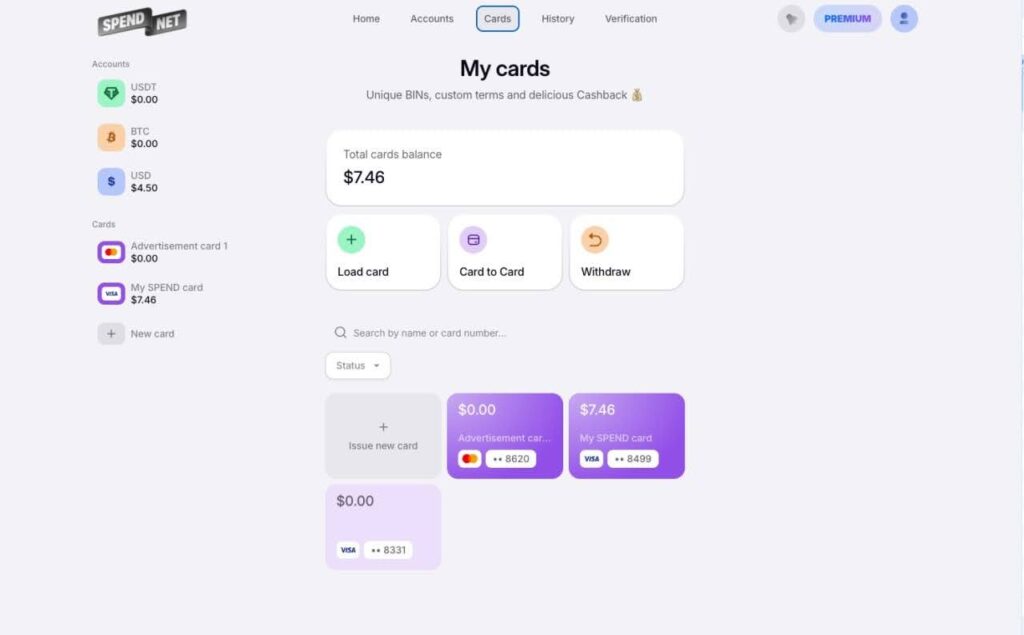
Spend.net issues virtual Visa and Mastercard cards for online payments, with a specific focus on advertising spend across Meta, Google, and TikTok. The product is built around three ideas that matter most to affiliate teams and solo media buyers: free and instant card issuance, automatic cashback on every purchase, and crypto-based funding that skips traditional banking rails entirely.
This review breaks down how Spend.net works, what it offers media buying teams, how its fee structure compares to what affiliates are used to, and where the platform still has room to grow — and how it stacks up against the other options in our roundup of virtual cards for affiliate marketing.
Built by AffRoom, a knowledge base for affiliates and ad & CPA networks — so once you’ve weighed Spend.net against your current card setup, you can browse our other tools and payments reviews and line up traffic sources to run through it.
What Is Spend.net?
Spend.net is a financial platform designed for arbitrage teams and individual buyers who need a fast, flexible way to pay for advertising and other online services. At its core, the platform issues virtual dollar cards that can be used anywhere Visa or Mastercard is accepted online, with card categories specifically tuned for ad platforms.
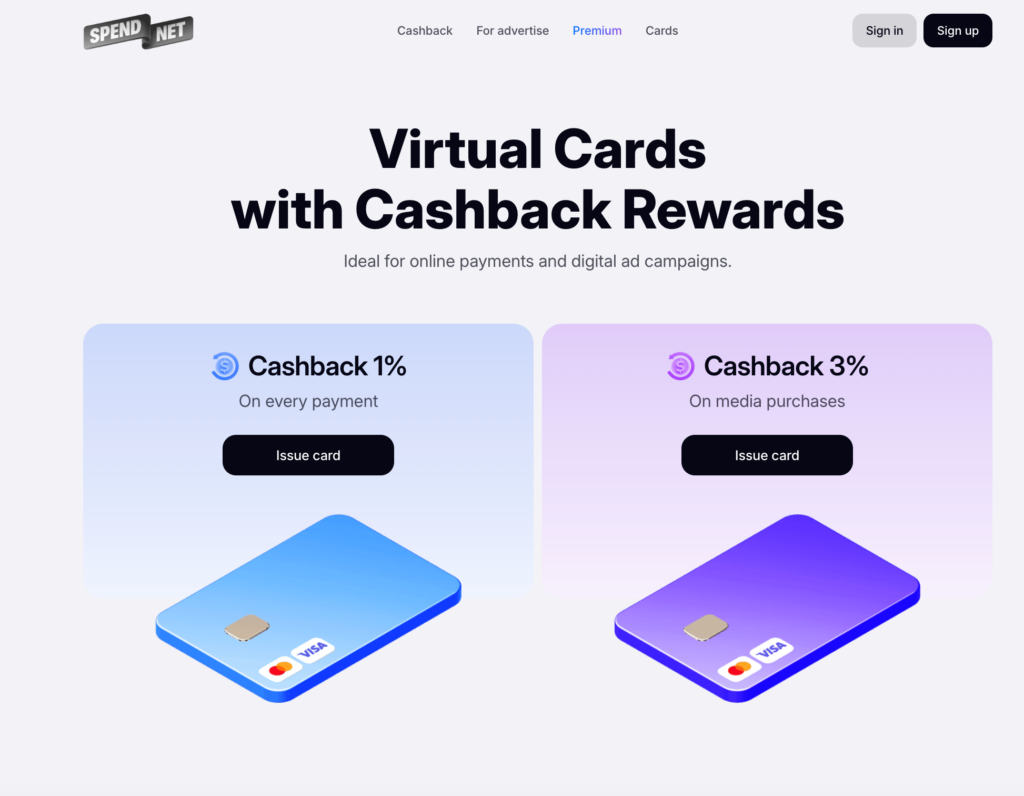
Two broad categories define the product line:
- Universal cards for everyday online spending — subscriptions, SaaS tools, e-commerce, and general digital services.
- Advertising cards built for media buying, with BINs selected and monitored for compatibility with Meta Ads, Google Ads, TikTok Ads, and other ad networks.
Card issuance is free and unlimited, which matters for teams that split budgets across many accounts or need a fresh card after a decline. Registration takes about a minute using a Google account or email, and a first card can typically be issued right after a quick verification step — no proof of spend volume required to get started.

How to Get Started with Spend.net
- Sign up with a Google account or email — takes about a minute.
- Complete a quick verification step tied to the card tier you want to issue.
- Fund the account via USDT or BTC.
- Issue a universal or advertising card and start spending.
There’s no requirement to prove a certain ad spend volume to get started, which lowers the barrier for solo buyers and smaller teams testing the platform for the first time.
Core Features
Cashback on Every Purchase
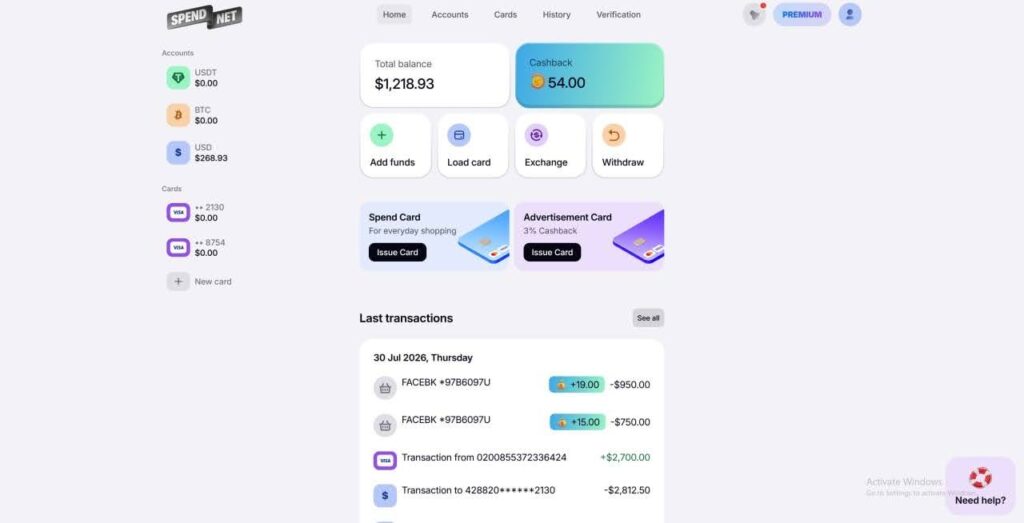
Cashback is one of Spend.net’s clearest differentiators. Every payment made with a Spend.net card earns cashback automatically, with no manual claims or delayed payouts. Universal cards currently earn 1% back on any online purchase, while advertising cards earn up to 3% on media buying spend specifically — a meaningful bonus for teams running five- or six-figure monthly budgets, since the reward scales directly with ad spend rather than being capped at a fixed amount.
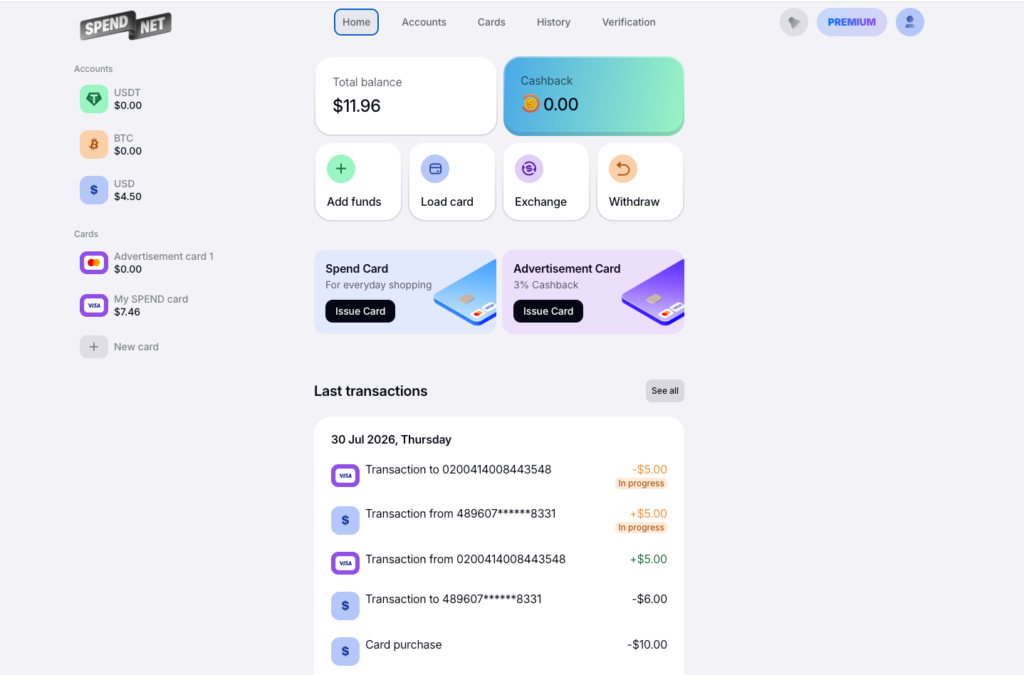
Cashback is credited in real time and visible directly in the personal dashboard, and it can be reused immediately — either transferred back onto a card to fund new campaigns or spent on further purchases. For teams testing multiple offers or verticals at once, this effectively turns a portion of ad spend into a recurring discount rather than a sunk cost.
Zero-Fee Structure
Affiliate marketers are used to paying for the privilege of moving money — card fees, decline fees, currency conversion, withdrawal fees. Spend.net’s pitch is that most of these disappear entirely:
- 0% on transactions
- 0% on declined payments
- 0% on currency exchange
- 0% on withdrawals from cards or the main account
- 0% on refunds
The one cost that isn’t zero is the deposit fee, which is flexible: users can choose their own top-up percentage, trading a higher fee for a higher cashback rate, or the reverse. Deposits under a minimum threshold carry a small service charge, which is worth checking in the dashboard before a first top-up. Premium account tiers reduce the deposit fee further and add a cashback boost on top of the standard rate — worth it for teams with consistent, high-volume spend.
BINs Built for Ad Platforms
For anyone who has dealt with a wave of declines on a new ad account, BIN quality is not a minor detail — it sits alongside proxies and anti-detect setups as one of the trust signals ad platforms check before they let spend through. Spend.net offers around 25 BINs for advertising, a portion of which are exclusive to the platform, meaning they aren’t shared across dozens of other card providers and are less likely to be flagged by ad platform risk systems. All cards support 3D Secure, which is required by an increasing number of merchants and ad platforms for payment verification.
The platform also runs a public BIN checker tool (spend.net/bin-checker), letting users verify a BIN before relying on it for a live campaign — a small but practical feature for teams that need to sanity-check a card ahead of a launch.
Crypto Funding
Spend.net is built around crypto-first funding rather than traditional bank transfers. Accounts can be topped up with USDT (TRC20) or Bitcoin, and all crypto transfers go through automated KYT (Know Your Transaction) checks before funds are credited. For affiliates who already operate primarily in crypto — a common setup for anyone running crypto or finance vertical offers — this removes a layer of friction that bank-linked card providers usually introduce.
Spend.net at a Glance
| Feature | Universal Cards | Advertising Cards |
|---|---|---|
| Issuance fee | Free, unlimited | Free, unlimited |
| Cashback | 1% | Up to 3% |
| Currency | USD | USD |
| Network | Visa / Mastercard, 3D Secure | Visa / Mastercard, 3D Secure |
| Best for | Subscriptions, SaaS, e-commerce | Meta, Google, TikTok Ads |
| Funding | USDT (TRC20), BTC | USDT (TRC20), BTC |
| Transaction / decline / FX / withdrawal fees | 0% | 0% |
Customer Support
Support is available through live chat directly inside the dashboard, with 24/7 coverage according to the platform. For a service handling active ad spend, where a blocked card can mean a paused campaign, response speed on support channels is one of the more important — if hard to verify from the outside — quality signals. Public reviews are mixed on this point: several highlight fast, helpful responses, while a smaller number describe frustrating delays around fund withdrawals, so it’s worth testing support responsiveness with a modest deposit before committing larger budgets.
Alternatively, support is reachable via Telegram: @spendnet_customer_support.
Who Spend.net Is a Good Fit For
Spend.net is aimed squarely at people who spend on ads regularly and want a card layer that doesn’t get in the way: solo affiliates managing several offers, small media buying teams splitting budgets across accounts, and anyone already comfortable funding accounts with crypto. The combination of free issuance, cashback on ad spend, and a zero-fee baseline is a reasonable match for that audience.
It’s a less obvious fit for buyers who need traditional fiat rails — bank transfers aren’t supported, and everything runs through USDT or BTC. Teams operating at a very large scale may also want to weigh Premium tier terms carefully against dedicated corporate card providers built specifically for large ad budgets, since those often layer on higher static limits and account management.
FAQ
Do I need to prove a certain spend volume to register?
No. Registration is open to individual affiliates and teams alike, and a first card can be issued shortly after signing up, without submitting proof of ad spend volume.
How do I fund my Spend.net account?
Deposits are made in USDT (TRC20) or Bitcoin. There’s no support for direct bank transfers, so funding depends on having access to a crypto wallet.
How is cashback calculated and paid out?
Cashback accrues automatically on every card purchase and is credited to the dashboard in real time, at a higher rate on advertising cards than on universal cards. It can be reused immediately for further spending.
How does a 0% withdrawal fee square with blockchain network fees?
Spend.net’s 0% applies to its own platform fee — it doesn’t cover blockchain network fees on TRC20 or BTC transfers, which are set by the network, not by Spend.net. So a withdrawal can still cost a small amount in network fees even though the platform’s own fee line reads zero.
How much does it cost to issue a card?
Nothing. Card issuance on Spend.net is free and unlimited.
Which card networks are supported?
Visa and Mastercard, both with 3D Secure support.
What currency are the cards in?
The cards are USD-denominated.
Is there a limit on how many cards I can issue?
No, you can issue an unlimited number of cards.
Does Spend.net work with Facebook, Google, and TikTok Ads?
Yes, the platform offers dedicated cards and BINs for these ad platforms.
The Bottom Line
Spend.net covers the fundamentals that matter to media buyers: free card issuance, automatic cashback that scales with ad spend, a genuinely low-fee structure, and a set of BINs curated for advertising platforms. Crypto-only funding is a deliberate design choice that will suit affiliates already working in that ecosystem more than it will suit buyers who need fiat banking rails.
As with any payment platform handling live ad budgets, the safest approach is the same one that applies across the industry: start with a modest deposit, test card performance and withdrawal speed on your own accounts, and scale up funding once the platform has proven reliable for your specific offers and GEOs.
Once your payment stack is sorted, the next step is lining up traffic and offers to run through it. Sign up free on Affroom to browse vetted CPA networks, ad networks, and current affiliate offers in one directory.