CPA Networks
 Ad Networks
 Affiliate Programs
 Offer base



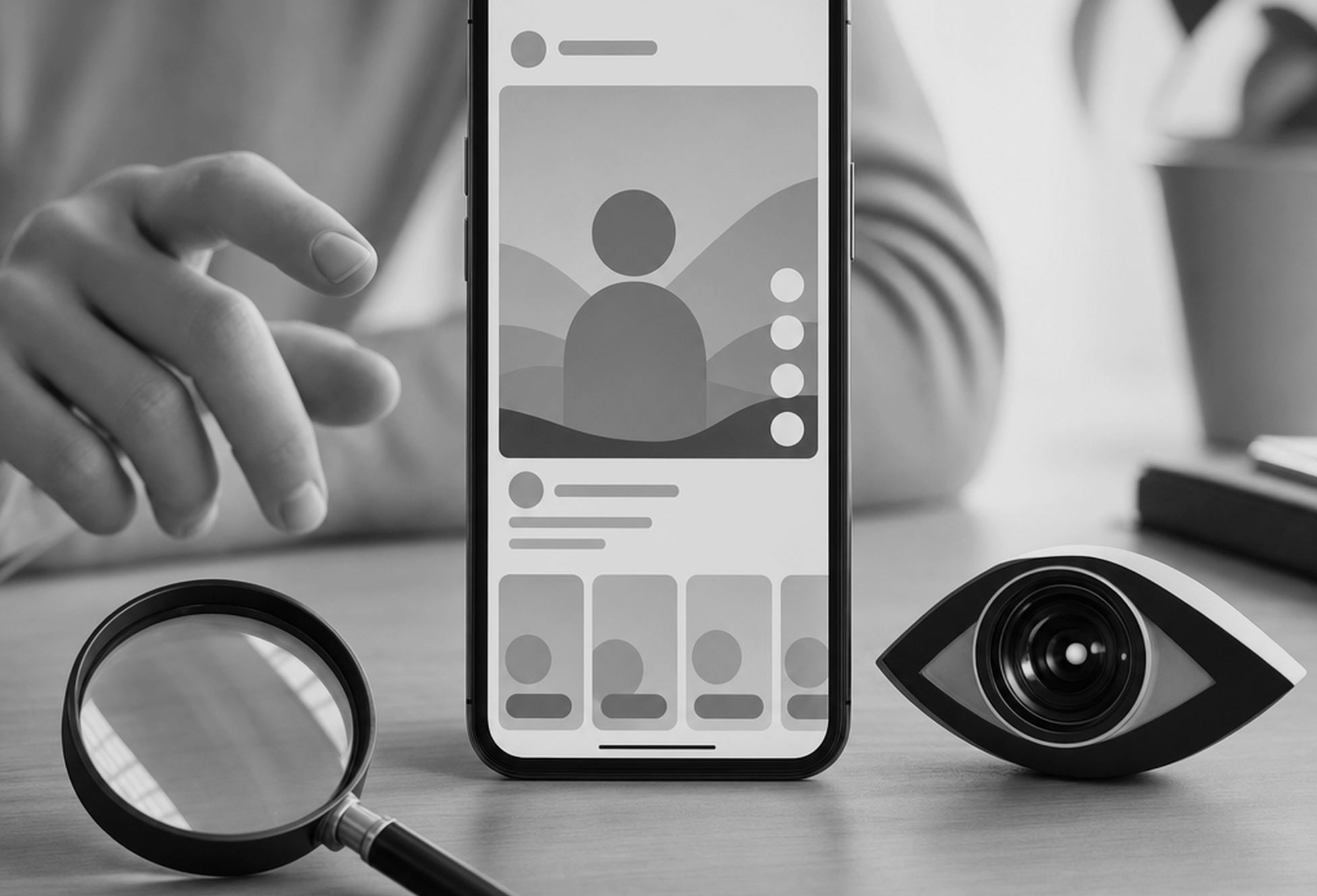
Short answer: no. Instagram doesn’t show a list of people who watched your Reels — not on personal accounts, not on professional ones, and not behind any paid feature. You get numbers: views, reach, watch time, shares. Names appear only when someone does something visible, like liking, commenting or following.
That’s a deliberate design choice, and nothing suggests it’s changing. So the more useful question isn’t “can you see who watched your Reels on Instagram,” but what the numbers you do get actually tell you — and how to turn anonymous views into people you can identify and track.
AffRoom is a catalogue of affiliate marketing companies and a networking hub for affiliates, media buyers and creators. Browse CPA networks, ad networks, affiliate programs and offers, read honest reviews and contact companies directly. Free for individuals.
Can You See Who Views Your Reels on Instagram?
No. Only two Instagram formats show a named viewer list: Stories and Live. Everything else — Reels, feed videos, carousels and your profile itself — is anonymous. Every view is counted, but no view is attributed to a person.
| Format | Named viewer list? | What you get instead |
|---|---|---|
| Stories | Yes, for 48 hours from posting | Viewer list + view count |
| Live | Yes, in real time | Live viewer list |
| Reels | No | Views, reach, watch time, interactions |
| Feed posts and videos | No | Aggregated insights |
| Profile | No | Profile visit count (professional accounts) |
So if you’re asking “can I see who viewed my Reels” because a view count jumped overnight — that number mixes followers, strangers from the Reels feed and Explore, and repeat views from the same people. Instagram doesn’t break it down by person, on any account type.

What Reels Insights Actually Show
Instagram retired plays and impressions and made views the main metric across all formats. A view is logged every time a Reel starts or replays, so one person looping a clip five times adds five views — one account, not five people. The metric that counts unique people is reach.
What You Can See in Instagram Metrics
Reels Insights break down into two families: volume metrics like views and watch time, and reach metrics like accounts reached and followers vs. non-followers. Together they add up to your total view count and the number of unique accounts a Reel reached — which matters far more than knowing who, specifically, tapped play.
| Metric | What it measures | Why it matters |
|---|---|---|
| Views | Every start or replay of the Reel | Top-line volume, not people |
| Accounts reached | Unique accounts that had the Reel on screen, played or not | Your real audience size |
| Watch time | Total time played, including replays | Overall attention |
| Average watch time | Watch time divided by the number of initial views | Hook and pacing quality |
| Skip rate | Share of viewers who swiped away in the first seconds | Whether the hook works |
| Likes, comments, shares, saves, reposts | Visible engagement actions | What the algorithm rewards |
| Follows | Accounts that followed you after watching | Conversion into audience |
| Followers vs. non-followers | Split of views and reach | Discovery vs. existing audience |
How to read the combinations:
- Views far above reach — people are rewatching. That’s a strong quality signal.
- High reach but low watch time — the Reel is being shown but not held. Fix the hook, not the topic.
- Almost no non-follower reach — distribution stalled. One common cause: Reels longer than three minutes aren’t recommended to non-followers, as we explain in our Instagram Reels length guide.
Instagram’s head Adam Mosseri has said the Instagram algorithm leans on watch time, likes per reach and sends per reach as its core ranking signals. That’s why shares deserve more attention than raw views: a DM send is someone actively recommending your Reel.
Tip: a high skip rate isn’t always a content problem. If your key text sits under the caption or the icon column, viewers scroll before they understand the offer. The margins for vertical video are covered in our TikTok safe zone guide, including a Reels comparison.
Reels Insights That Replace a Viewer List
There’s no toggle that unlocks a list of who watched, on any account type or subscription tier. Instagram will not hand you a list of who watched a given Reel — not today, and nothing in its privacy roadmap suggests that’s changing. Reach, watch time and shares stand in for it — they’re the same signals the algorithm uses, and arguably more useful: a name only tells you someone scrolled past, while watch time tells you whether they stayed.
How to See Who Viewed Your Reel on Instagram: The Named Signals
You can’t identify passive viewers, but you can see everyone who takes an action:
- Likes — tap the like count under the Reel to see the list. As the creator, you see it even if you’ve hidden like counts from the public — once someone has liked your reel, you know for certain they’ve seen your reel rather than scrolled past.
- Comments — fully public, with usernames.
- Reposts — credited to you and shown in the reposter’s Reposts tab and their followers’ feeds.
- Follows — insights break down follows from reel views separately, showing how many accounts followed after watching; your followers list shows the newest ones first.
- DMs and replies — named, by definition.
Shares are the exception among engagement metrics: you see how many times the Reel was sent, but not by whom.
The Story workaround. Share your Reel to your Story. The Story viewer list will then show exactly who saw that Story frame. It doesn’t prove they tapped through and watched the full Reel, but it’s the closest native way to check whether specific followers saw it.
Where to Check Reel Views in the Instagram App
To check reel views for one specific clip, open reel analytics from the three-dot menu on that Reel and tap View insights — the same screen shows accounts reached, watch time and every named signal above in one place inside the Instagram app. View counts on Instagram Reels start showing within minutes, but detailed metrics can lag, so judge a Reel after a few days rather than in the first hour.
Importance of Views on Instagram Reels
Instagram views spike fast because every replay counts, so treat the raw number as attention volume, not audience size. Reach is the figure that reflects real people; Instagram views are the figure that reflects attention.
Why You Can See Story Viewers but Not Reel Viewers
Because the two formats do different jobs. Stories are a follower-facing, short-lived, social format — the viewer list is part of that loop, closer to a read receipt. Reels are a discovery feed built to push content to strangers at scale.
Discovery depends on people being able to watch freely. If every Reel logged viewers by name, people would browse and rewatch less, and the entire recommendation system would lose the passive watch data it runs on. Instagram’s rule is consistent across the app: active engagement is visible, passive viewing is anonymous. And at Reels scale, a list of 400,000 usernames wouldn’t tell a creator anything anyway.
Why Instagram Hides Names and Viewer Lists on Reels
Hiding viewer identities on Reels isn’t an oversight. Instagram hides names by default across every discovery surface, not just this one, because passive consumption depends on people not feeling watched — the same logic that keeps every viewer list off Reels, feed videos and the Explore tab.
Does Instagram Show Who Watched Your Reels? The Viewer’s Side
No. Watching someone’s Reel sends no notification and leaves no trace in their insights except one more view. The same goes for rewatching, pausing and screenshotting a Reel. The creator never gets a badge, note or notification that you, specifically, watched their Reel.
What does leave a trace:
| Action | Who can see it |
|---|---|
| Watching, rewatching | Nobody (counted in views only) |
| Liking | The creator in the likes list; mutual friends in the Friends tab |
| Commenting | Everyone who opens the comments |
| Reposting | Your followers; the Reel appears on your profile |
| Sending via DM | The recipient; the creator sees only the share count |
The part most people miss is the Friends tab at the top of Reels, which launched globally in August 2025. It shows public Reels your friends have liked, commented on or reposted — so a like is no longer something only the creator sees. You can hide your likes and comments from the Friends tab in your settings. For the rest of Instagram’s privacy toolkit, see our guide on hiding followers without a private account.
Do Instagram Reel Viewer Apps Actually Work?
No. Instagram does not show a Reel viewer list to anyone, including the creator, through any official surface, and the API doesn’t expose viewer identities either — not to third-party developers, and not to creators inside the app itself. Any “Reel viewer tracker” does one of three things:
- Repackages your likers and commenters as “viewers.”
- Generates fake data to keep you subscribed.
- Collects your login credentials.
Handing your password to a third-party tool is also a Terms of Use violation that can end in a suspended or hijacked account. If that account carries an audience or runs offers, you lose far more than you learn. It’s the same category of promise as getting 1K followers in five minutes.
How to Check Reels Insights on a Personal Account
According to Instagram’s Help Center, any public account — personal or professional — can view Reel insights. Private accounts can’t. Data is available for Reels posted after May 14, 2021, for up to two years after publishing.
- Open your profile and go to the Reels tab.
- Open the Reel you want to analyze.
- Tap View insights under the Reel (or open the three-dot menu and select Insights).
This is where Instagram Insights becomes an account-wide tool. For audience demographics, profile visits and trends across all your content, switch to a professional account: Settings and privacy → Account type and tools → Switch to professional account. It’s free and reversible. Professional accounts can also view insights on desktop through Meta Business Suite.
Do You Need a Professional Account to See Reel Insights?
No. You don’t need a professional account just to see reel views on a single public Reel — any public account, personal or professional, gets that. Creator and business accounts unlock deeper analytics and make insights easier to find inside your professional dashboard: audience demographics, profile visits and trends across your whole content creator account, not just one clip.
How to Leverage Instagram Insights
Check Reels, Stories and account tabs together, weekly, and compare average watch time and reach across your last ten posts instead of judging any single Reel in isolation. The trend line catches problems, and wins, long before one Reel’s numbers do.
For Affiliates: Track Who Clicks, Not Who Watched
Whether you create content solo or run paid campaigns, a list of viewer usernames wouldn’t pay anyway. What matters is the small share of viewers who move toward your offer — and that part you can make fully identifiable:
- Comment-to-DM triggers. Ask viewers to comment a keyword and send the link automatically by DM. Every interested viewer becomes a named lead.
- UTM-tagged links. Use a separate tagged link in bio or on the landing page per Reel, so your tracker shows which video drove the clicks.
- Unique promo codes. One code per Reel or per campaign ties conversions back to specific content.
- Trial Reels. Test hooks on non-followers before showing a Reel to your audience, then compare watch time and skip rate.
The hook decides whether any of this gets a chance — our breakdown of clickbait headline structures translates directly to Reels openers. And once the click happens, the page has to convert: see our guide to landing pages and pre-landings for affiliate marketing.
What Else Should You Know About Instagram Reels?
A few smaller mechanics shape who can technically see your Reel, even though none of them expose a name:
- Every public Reel also lives in your profile grid, so people can watch it straight from your profile — those views count too, just under a different traffic source.
- Hashtags like #Reels or #InstagramReels don’t unlock a viewer list, and they don’t boost reach either — Mosseri has said so directly, and posts are now capped at five. Use a few relevant ones for topic clarity only.
- Consistent posting and a strong first two seconds boost your reach; collaborations and Story reshares expand your reach into non-follower feeds.
- People watch short videos differently than long ones — attention drops in the first seconds, which is why skip rate matters more than raw view count.
- Experiment with different hooks, captions and posting times, then write down reach and watch time for your last ten Reels so the pattern shows up before any tool tells you about it.
- None of this involves breaking platform rules or shady Instagram hacks — it’s the same Instagram growth tips creators have used for years, applied consistently.
- Check Account Status in your Instagram settings if reach suddenly drops: it shows whether any of your content has been marked ineligible for recommendations.
- A comments section full of real names and avatars that speak for an actual audience is worth more than any anonymous view count, and it helps you understand which Reels are landing with people around the world versus just your core followers.
- Reach vs. plays is the historical version of this same split — older reel-level insights show plays and impressions in old data exports, both since retired in favor of views and reach.
- Instagram’s whole discovery model is built around counts, not names. If every view felt traceable, browsing would feel like being watched, and people would scroll and rewatch less.
For more content creator tips on turning that traffic into leads, the affiliate playbook above picks up where these mechanics leave off.
FAQ
Can you see exactly who viewed your Instagram Reel?
No. Instagram shows the total number of views, reach and watch time, but never a list of viewers. You can only see people who took a visible action: liked, commented, reposted, followed or messaged you.
Does Instagram notify someone when you watch their Reel?
No. Watching, rewatching or screenshotting a Reel doesn’t send any notification. The creator only sees your view as part of the total count.
Can the creator see you if you watch a Reel without liking it?
No. Without an action, you’re an anonymous view. Once you like, comment or repost, your name becomes visible to the creator — and likes can also show up for mutual friends in the Reels Friends tab unless you hide that activity.
Why can you see Story viewers but not Reel viewers?
Stories are a short-lived format for your followers, so the viewer list works like a read receipt for 48 hours. Reels are a discovery feed shown to strangers at scale, and Instagram keeps passive viewing anonymous so people watch freely.
Do Instagram Reel viewer apps actually work?
No. Instagram’s API doesn’t share viewer identities with anyone. These apps either show fake data, relabel your likers as viewers, or collect your login — which can get your account suspended.
How do you check Reels insights on a personal account?
Your account needs to be public. Open your profile, go to the Reels tab, open a Reel and tap View insights. For account-wide analytics, switch to a free professional account.
Conclusion
You can’t see who views your Reels, and no app can change that. What Instagram gives you instead is more useful: views, reach, watch time, skip rate and shares show whether a Reel works and why. Named viewers exist only in Stories and Live — and in the people who choose to engage.
For creators and affiliates, the practical move is to stop chasing names and build trackable engagement instead: keyword DMs, tagged links and unique codes convert anonymous views into leads you can count.